 MailerLite
 ActiveCampaign
 Omnisend
 Klaviyo
 SE Ranking
 Mangools
 Semrush
 Ahrefs
 Pipedrive
 Zoho CRM
 Salesforce
 HubSpot
 Systeme.io
 GoHighLevel
 ClickFunnels
 Vendasta
MailerLite review
The cheapest email tool that still lands in the inbox, now with a free tier worth half what it was last week.
Ratings from G2 (~1,100 reviews), Capterra (2,286) and Trustpilot (4.0, ~3,162 reviews), pricing verified October 11, 2026.
The verdict
MailerLite is the tool we point most small senders toward, and the reason is boring but decisive: it costs less than almost everything in the category and it puts more of your email in the inbox than almost everything in the category. Those two facts rarely live in the same product. The cheap tools usually cut corners on deliverability, and the tools that win deliverability awards usually charge for the privilege. MailerLite is the exception, and the independent numbers back it up. Plan-by-plan numbers, add-ons and real team bills are in our MailerLite pricing 2026 breakdown.
Start with satisfaction. G2 scores it 4.6 out of 5 across roughly 1,100 reviews, Capterra puts it at 4.7 from 2,286, and Trustpilot lands at 4.0 from about 3,162. That spread is unusually high and unusually consistent for a budget product, and the most-praised attribute on every platform is support (Capterra rates customer service 4.8 on its own). Then look at performance. EmailToolTester, which has run blind inbox-placement tests since 2018, gives MailerLite its “Best of 5” deliverability award with a 94.41% average across the last five rounds, the sixth time it has taken that crown.
It is not perfect, and we will be specific about where it stops. The automation builder is linear and shallow, there is no CRM, there is no phone line, and the account-approval gate frustrates new users (60% of the 88 approval-related Capterra reviews are negative). The free plan, which used to be one of the most generous in the category, was cut hard on the very day we finished this review (June 16, 2026): 250 subscribers and 2,500 emails a month, down from 500 and 12,000. None of that changes the core picture. For a founder, creator, or small marketing team that wants clean email at the lowest credible price, MailerLite is the strongest value in email marketing. Our 9.2 reflects that, with the points off going to automation depth and the thinner free tier.
What MailerLite really costs at scale
The short version is below. For the plan-by-plan detail, the full add-on table and the ways to pay less, see our dedicated MailerLite pricing breakdown.
MailerLite charges by list size, the standard model in this category, and it splits into two paid plans. As of today the plans are named Comfort (the old “Growing Business”) and Power (the old “Advanced”). Comfort starts at $12 a month billed monthly, Power at $25. Annual billing knocks roughly 10% off either one. Those two starting prices are the only figures MailerLite has officially confirmed under the new names; the per-tier table below was published under the old names and maps directly onto Comfort and Power, so treat it as the best available guidance rather than freshly re-stamped numbers.
| Subscribers | Comfort (monthly) | Power (monthly) |
|---|---|---|
| Up to 1,000 | $15 | $30 |
| 2,500 | $25 | $40 |
| 5,000 | $39 | $50 |
| 10,000 | $73 | $110 |
| 25,000 | $159 | $200 |
| 50,000 | $289 | $340 |
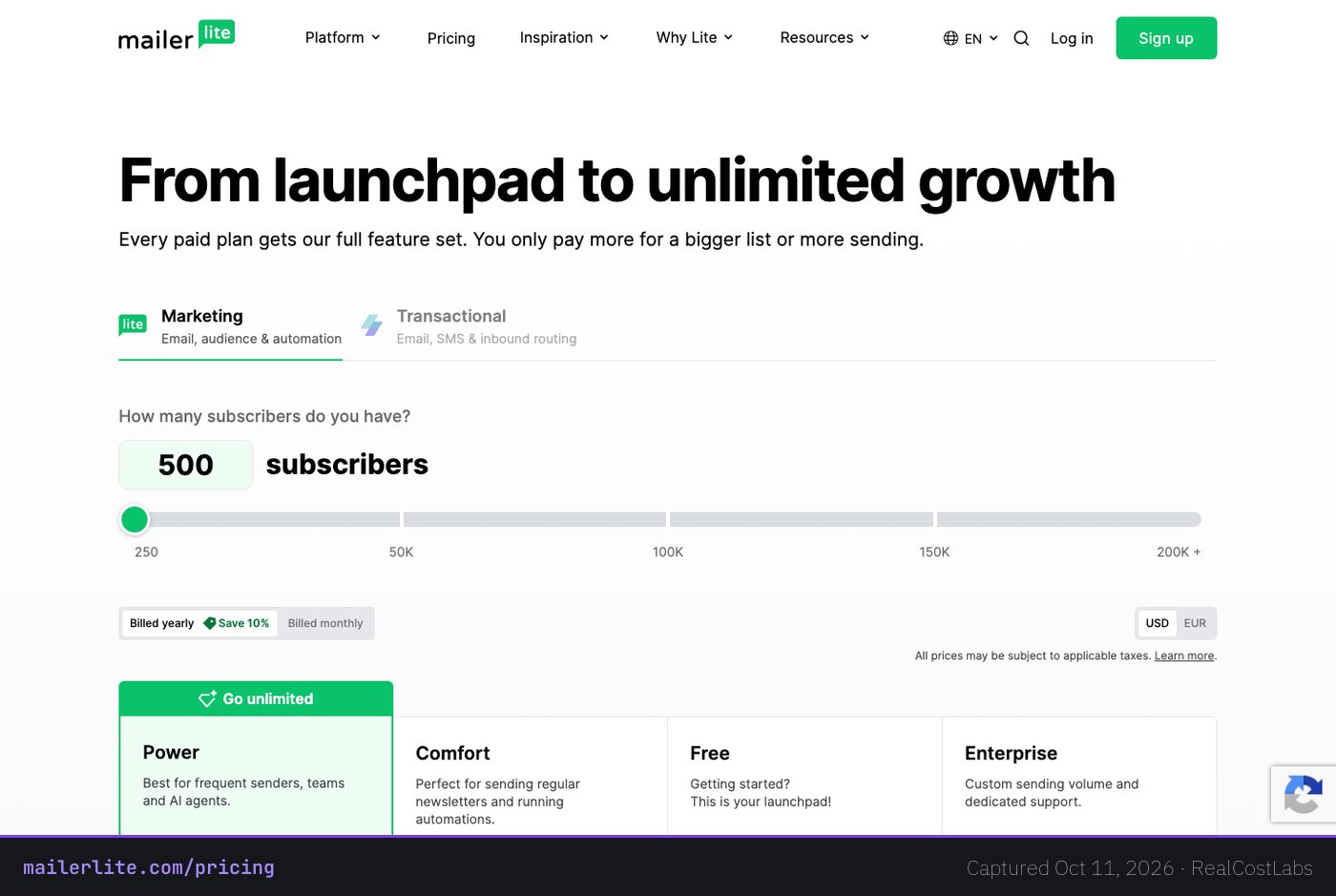
Here is what that means in real annual dollars, because the monthly sticker price is not the number you pay over a year. Take a realistic mid-market list of 10,000 subscribers. On Comfort that is about $73 a month month-to-month, or roughly $788 a year on annual billing, which works out to about $65.70 a month. On Power the same 10,000-subscriber list is about $110 a month, or roughly $1,188 a year. A smaller operator at 2,500 subscribers pays $25 a month on Comfort and $40 on Power, and a 1,000-subscriber list runs $15 and $30. Compared with the rest of the category, those are low numbers at every tier, not just at the entry point where vendors like to advertise.
The split between the two plans is worth understanding before you pay. Comfort gives you unlimited email templates, dynamic and personalized content, campaign auto-resend to non-openers, multivariate testing, an unsubscribe-page builder, a preference center, the AI writing assistant, smart sending, and three user seats. Its monthly email cap is ten times your subscriber ceiling, so a list capped at 1,000 can send 10,000 emails a month. Power adds genuinely unlimited monthly sends under a fair-use policy, unlimited user seats, unlimited automations and forms and digital products and bookings, multiple triggers per automation workflow, a custom HTML editor, partner discounts, and 24/7 live chat. If you send heavily, run many concurrent workflows, or need live chat support, Power earns its premium. If you do not, Comfort is the right and cheaper answer. Above 200,000 subscribers there is a custom-priced Enterprise tier with a dedicated success manager, account audits, and priority support.
Deliverability: the number that actually matters
For an email tool, deliverability is the whole game. A campaign that lands in spam is worse than no campaign, because it trains the receiving mailbox to distrust your domain. This is the metric most reviews skip because it is hard to measure, and it is the one where MailerLite quietly outperforms tools that cost several times as much.
EmailToolTester runs blind seed-list tests across major mailbox providers and publishes the results. MailerLite holds the “Best of 5” deliverability award with a 94.41% average inbox-placement rate over the last five test rounds, its sixth time winning that rolling-average title. The most recent benchmark, cited in December 2025, saw ActiveCampaign retake the single-round number one spot at 94.2%, but MailerLite kept the five-round average crown, which is the more meaningful figure because it rewards consistency rather than one good test. Single rounds do swing: a January 2024 report had MailerLite at 89.8%. The 94.41% is the headline because it is the average that holds up across rounds.
There is a trade-off behind that score, and it is the same thing that frustrates some new users. MailerLite enforces a strict account-approval and compliance gate before you can send. That gate is part of why its inbox rates stay high: it keeps spammers off the shared sending infrastructure that your domain reputation rides on. The cost is a slower, occasionally opaque onboarding. We cover that fully in the weaknesses below, but it is worth naming here because the strength and the irritation come from the same policy. One caveat for buyers who obsess over deliverability tooling: EmailToolTester scores MailerLite’s deliverability features 3.5 out of 5, because the platform does not include built-in spam or inbox-preview testing. The placement results are excellent; the in-app diagnostic tooling is average.
Features, in depth
MailerLite’s reputation rests on a drag-and-drop builder that is genuinely pleasant to use. The same editor builds emails, landing pages, and full websites, and landing pages and sites are included rather than sold as an upsell. For a solo operator that can replace a separate site builder entirely.
- Campaign tools: dynamic and personalized content blocks, multivariate and A/B testing, smart sending that optimizes send timing, and auto-resend that re-sends a campaign to people who did not open the first one. The AI writing assistant drafts and rewrites copy inside the editor.
- Audience capture: signup forms, embedded forms, and promotional pop-ups, plus a preference center and an unsubscribe-page builder so subscribers can downgrade their email frequency instead of leaving entirely.
- Commerce and monetization: built-in e-commerce, digital-product selling, paid newsletter subscriptions, and bookings, all native rather than bolted on. For a creator who sells a course, a template pack, or a paid newsletter, that consolidation matters.
- Transactional email: handled through MailerSend, MailerLite’s sister product, so receipts and password resets can run on the same family of tools as your marketing.
- Automation: present, and fine for the common cases (a welcome series, a post-purchase flow), but this is the shallow end of the product. The trigger set is limited to events like joining a group, clicking a link, or a field update. There are no site-visit or behavioral triggers, no lead scoring, and no detailed automation reports. A workflow on Power can use multiple triggers, but the logic stays comparatively flat.
In short: MailerLite’s feature set is wide for the price and shallow on automation. You get an excellent builder, real commerce tools, and top-decile inbox placement. You do not get the branching, conditional, behavior-driven automation that defines the heavyweight tools, and you do not get a CRM at all.
Ease of use
This is where MailerLite earns much of its 4.6 and 4.7 ratings. The interface is clean, the builder is forgiving, and a first-time sender can get a decent campaign out the door without a tutorial. Ease of use is one of the highest-scored sub-attributes on both G2 and Capterra, and the free email academy plus a deep knowledge base fill in the gaps for people who want to learn properly.
The one friction point is front-loaded, and it is real. New accounts go through a manual approval review, and you cannot use the email editor or test features until you are approved and your sending domain is authenticated. When it clears quickly it is a non-issue. When it does not, the rejection or delay comes with little explanation: 60% of the 88 approval-related reviews on Capterra are negative. So the in-product experience is genuinely easy; the gate you pass through to reach it is the rough part of an otherwise smooth ride.
Who it is for
MailerLite fits anyone who wants clean, well-delivered email at the lowest credible price and does not need deep automation or a built-in CRM. That covers a large share of the market: founders, small e-commerce stores, creators, newsletter publishers, nonprofits, and small marketing teams. The included websites and landing pages, the native commerce tools, and the paid-newsletter support make it especially strong for solo operators who would otherwise pay for three separate products.
It is the wrong tool for teams that live inside complex, behavior-triggered automations or that need email and sales pipeline in one system. If your marketing depends on multi-conditional logic, lead scoring, and a CRM that talks to your campaigns, you will outgrow MailerLite’s linear workflows quickly, and you should look at ActiveCampaign instead. And if you are a heavy-volume sender with a very large list and infrequent campaigns, a volume-priced tool can come out cheaper, which brings us to the alternatives.
Three real-world scenarios
The creator with a 4,000-subscriber paid newsletter
This is MailerLite’s home turf. At 4,000 subscribers you sit between the 2,500 and 5,000 tiers, so budget around $39 a month on Comfort, less on annual billing. You get the builder, the paid-subscription tooling, landing pages to grow the list, and the inbox placement that keeps your paid issues out of spam. There is no reason to pay more elsewhere for this use case.
The 12,000-subscriber e-commerce store running flows
At this size MailerLite still makes sense on price, roughly $73 a month on Comfort or about $788 a year, with native Shopify and WooCommerce sync handling customer data. The watch-out is automation: if your store leans on abandoned-browse triggers, granular segmentation, and revenue-attributed automation reports, MailerLite’s flat workflows will feel limiting, and a commerce-specialist tool may justify its higher cost. If your flows are straightforward (welcome, post-purchase, win-back), MailerLite is the cheaper, well-delivered choice.
The 40,000-subscriber team that sends rarely
Here MailerLite’s list-size pricing works against you. A 50,000-subscriber Comfort plan is about $289 a month whether you send once a quarter or once a day, because you pay for contacts, not sends. A team with a big dormant list and low send frequency should price out a volume-billed tool like Brevo, which charges for emails rather than contacts and can be markedly cheaper at this shape of usage.
MailerLite vs the alternatives
| Tool | Best for | Starts at (monthly) | Trade-off vs MailerLite |
|---|---|---|---|
| MailerLite | Low-cost, well-delivered email | $12 | Linear automation, no CRM, no phone |
| Brevo | Big lists, low send frequency | Free tier | Prices by volume, unlimited contacts, native SMS |
| ActiveCampaign | Deep automation and CRM | from $15/mo | More power, more cost, steeper learning curve |
| Kit | Creators and publishers | $0 (free to 10,000 subscribers; paid from $39/mo, or $33/mo billed annually) | Stronger creator monetization, narrower scope |
The three names worth weighing against MailerLite each win on a different axis. Brevo (formerly Sendinblue) prices by email volume rather than list size and gives you unlimited contacts plus native SMS, which makes it the better math for senders with large lists who email infrequently. ActiveCampaign is the automation and CRM heavyweight: multi-conditional logic, behavioral triggers, and a built-in CRM, which is exactly what teams reach for when they outgrow MailerLite’s flat workflows, and you pay more for it. Kit (formerly ConvertKit) targets creators and newsletter publishers, is free up to 10,000 subscribers with paid plans from $39 a month, and pushes harder on creator monetization. Honorable mentions in the same orbit: Mailchimp as the mainstream middle ground, Moosend as the closest cheap-and-easy clone, and Klaviyo or Omnisend as the e-commerce specialists.
Our read: for most buyers the contest is MailerLite versus Brevo on price shape, and MailerLite versus ActiveCampaign on capability. If your list is large and quiet, Brevo wins on cost. If your marketing is automation-led, ActiveCampaign wins on power. For everyone in the wide middle, MailerLite wins on value.
Integrations and support
MailerLite connects natively to the tools a small business actually uses: Shopify with customer sync, WooCommerce, Stripe, WordPress (its WordPress ecosystem is a real strength), plus Make, Facebook, and Canva. Zapier is the gateway to more than 5,000 other apps, and there is an open REST API with developer SDKs for custom work. E-commerce sync is native for Shopify and WooCommerce; the deeper or more unusual connections tend to route through Zapier, which is fine but adds a moving part.
Support is the single most-praised thing about MailerLite. Free accounts get 30 days of email support, then limited help. Comfort includes 24/7 email support, and Power adds 24/7 live chat. There is no phone support on any tier. Even so, Capterra’s customer-service sub-score sits at 4.8, and a free email academy plus knowledge base round out the self-serve options. If you can live without a phone line, the help here beats most paid tools.
Pros and cons
- Pro: Among the cheapest entry pricing in the category, $12 Comfort and $25 Power, with low costs at every list tier.
- Pro: Award-winning deliverability, a 94.41% five-round average inbox-placement rate from EmailToolTester.
- Pro: Unusually high and consistent satisfaction scores (G2 4.6, Capterra 4.7, Trustpilot 4.0) with support as the top-rated attribute.
- Pro: One editor for emails, landing pages, and full websites, with landing pages and sites included.
- Pro: Native commerce, digital-product sales, paid newsletters, and bookings built in.
- Con: Linear automation with a limited trigger set, no behavioral or site-visit triggers, no lead scoring, no automation reports.
- Con: No built-in CRM and no in-app spam or inbox-preview testing.
- Con: Strict, opaque account approval (Capterra shows 60% of 88 approval-related reviews were negative) plus a real risk of post-approval suspensions that are hard to reverse.
- Con: No phone support on any plan.
- Con: Free tier cut hard in 2026 to 250 subscribers and 2,500 emails a month.
FAQ
How much does MailerLite cost?
The Comfort plan starts at $12 a month and the Power plan at $25 a month, both billed monthly, with roughly 10% off on annual billing. Price rises with list size: a 10,000-subscriber list is about $73 a month on Comfort and $110 on Power. There is also a permanent free plan and a custom Enterprise tier above 200,000 subscribers.
What changed with the free plan in 2026?
On June 16, 2026, MailerLite cut the free tier to 250 active subscribers and 2,500 emails a month, down from 500 subscribers and 12,000 emails. Existing free accounts move to the new limits on July 1, 2026, with feature-use caps enforced for all free accounts in August 2026. The free plan also now opens up more tools, including custom templates, blogs, pop-ups, and the HTML editor, with MailerLite branding on free emails.
Is MailerLite’s free plan still worth using?
Yes, for testing or a very small list. It is free forever with no card required, includes the builder, a website, a landing page, and signup forms, and lets you confirm the product fits before paying. It is simply less generous than it was, so a growing list will hit the 250-subscriber ceiling fast.
How good is MailerLite’s deliverability?
Very good. EmailToolTester gives it the “Best of 5” award with a 94.41% average inbox-placement rate across the last five test rounds, its sixth win. Single rounds vary (a January 2024 test showed 89.8%), but the rolling average is among the best in the category, helped by a strict compliance policy that keeps shared sending reputation clean.
What are MailerLite’s biggest weaknesses?
Three things: linear automation with no behavioral triggers, lead scoring, or automation reports; no built-in CRM; and a strict, sometimes opaque account-approval gate, with occasional post-approval suspensions that are difficult to reverse. There is also no phone support on any plan.
Does MailerLite have automation and a CRM?
It has automation, but a basic version: triggers are limited to events like joining a group, clicking a link, or a field update, with no site-visit or behavioral triggers and no lead scoring. It has no built-in CRM. Teams that need deep automation or a CRM should look at ActiveCampaign.
What does MailerLite integrate with?
Native integrations include Shopify, WooCommerce, Stripe, WordPress, Make, Facebook, and Canva, plus an open REST API and developer SDKs. Zapier connects it to more than 5,000 additional apps. E-commerce sync is native for Shopify and WooCommerce; deeper connections often run through Zapier.
MailerLite or ActiveCampaign?
Choose MailerLite for low-cost, well-delivered email when your automation needs are straightforward. Choose ActiveCampaign when your marketing is automation-led and you need multi-conditional logic, behavioral triggers, and a built-in CRM, and you are willing to pay more for that power.
KEEP EXPLORING
Ready to try MailerLite?
Start free, test the inbox placement yourself, and upgrade only when your list outgrows the free tier.
Try MailerLite →RealCostLabs is independent and reader-supported. We may earn a commission on purchases made through our links, at no extra cost to you, and our scores are never for sale.