 MailerLite
 ActiveCampaign
 Omnisend
 Klaviyo
 SE Ranking
 Mangools
 Semrush
 Ahrefs
 Pipedrive
 Zoho CRM
 Salesforce
 HubSpot
 Systeme.io
 GoHighLevel
 ClickFunnels
 Vendasta
GoHighLevel integrations
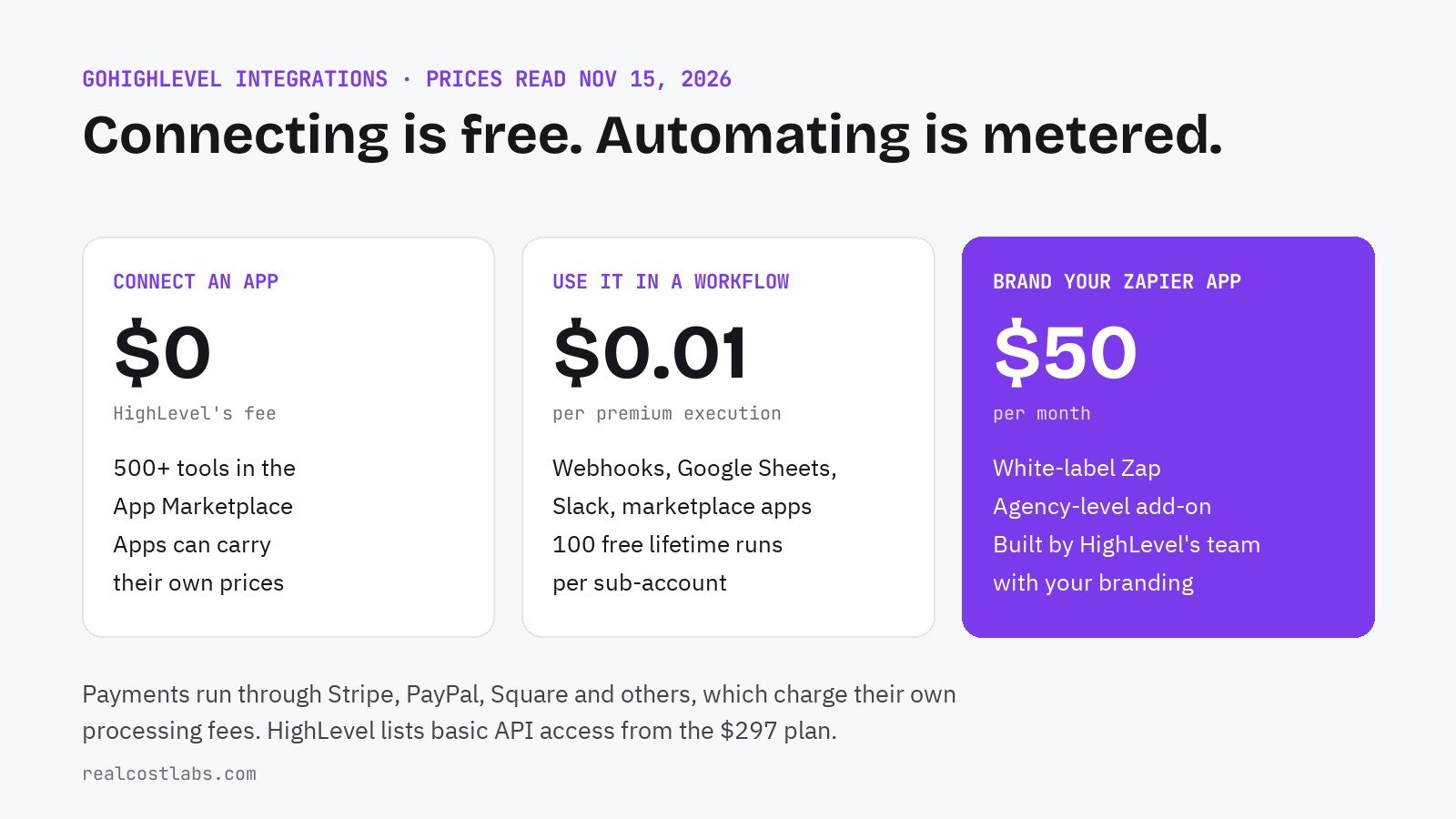
HighLevel connects to more than 500 tools and charges nothing for the connection. The cost appears when an integration runs inside a workflow, at $0.01 per step.
PART OF THE GUIDE · GoHighLevel pricing: every plan and the real monthly bill
RealCostLabs is independent and reader-supported. We may earn a commission on purchases made through our links, at no extra cost to you, and our scores are never for sale.
An all-in-one platform still has to talk to the tools around it: the calendar, the accounting package, the ad accounts, the payment processor. This page lists what GoHighLevel connects to, how each kind of connection works, and what it costs to run, from HighLevel’s integrations page, pricing guide and workflow premium features article, read on November 15, 2026. The API, Zapier and native-sync details are from HighLevel’s help center articles on the API, private integrations, Zapier, QuickBooks, Shopify and Google Calendar, read on November 16, 2026.
The short answer
There are four ways to connect something to GoHighLevel: a native integration, an app from the App Marketplace, a webhook or the API, and Zapier. HighLevel does not charge a fee to install or connect any of them. What it meters is use inside automations: a marketplace app action, a webhook or a Google Sheets or Slack step counts as a premium workflow execution at $0.01, after 100 free executions per sub-account.
What it connects to
| Category | Integrations HighLevel features |
|---|---|
| Productivity and scheduling | Google Workspace, Calendly, Zoom |
| Email and commerce | Mailchimp, Shopify |
| Accounting | QuickBooks |
| Social and ads | Facebook, Instagram, Google, TikTok, LinkedIn |
| Team messaging | Slack |
| Payments | Stripe, PayPal, NMI, Authorize.net, Square, Adyen, Razorpay |
| Everything else | 500+ tools through the App Marketplace, plus custom connections by API and webhook |
Installing a marketplace app is three steps: pick it, choose the sub-account, authorize. Installed apps are managed in one place per account.
What each kind of connection costs
| Connection | HighLevel’s charge | Other costs to expect |
|---|---|---|
| Native integration, such as Google or Facebook | None | None from HighLevel |
| App Marketplace app | None to install | The app’s own pricing, if any; $0.01 per action when used in a workflow |
| Inbound or custom webhook | $0.01 per workflow execution | Whatever sits at the other end |
| Google Sheets or Slack step | $0.01 per workflow execution | None from HighLevel |
| Payment provider | None listed | The provider’s processing fees |
| White-label Zap | $50 a month | A Zapier app under your agency’s brand, built by HighLevel’s team |
The $0.01 rate becomes a real number at volume. A workflow that receives a webhook, writes to a sheet and posts to Slack is three executions per run; on 2,000 runs a month that is $60 pay-per-use or $10 on a Workflow Pro plan. The break-even points are on our GoHighLevel workflows page.
The main native integrations, in detail
A logo on an integrations page does not say which way the data flows or what is left out. These four are the ones most accounts connect first, with the limits HighLevel documents.
| Integration | What syncs | What to know before relying on it |
|---|---|---|
| Google Calendar | Two-way appointment sync, with conflict calendars to block double bookings | Connected per user, not per company; each user links their own calendar and must grant write access |
| QuickBooks | Two-way: invoices, payments and customers go to QuickBooks; contacts come back | Only invoices created after connecting sync out; edits to imported old invoices do not sync back |
| Shopify | Products, collections, contacts, orders and transactions, plus purchase history on each contact | Contact fields cannot be switched off individually; some older Shopify workflow triggers are marked as deprecating |
| Facebook and Instagram lead ads | Lead form submissions arrive as contacts, with form fields mapped to contact fields | Set up through Ad Manager, which has to be activated in each sub-account first |
Google Calendar. HighLevel lists three reasons the sync breaks: an expired token, a deleted calendar and permissions revoked after connecting. Because the connection belongs to the user, a ten-person team is ten connections to keep healthy, not one.
QuickBooks. When an invoice is marked as sent in HighLevel it is created in QuickBooks, and status, dates, totals and line items keep syncing. Payments taken through order forms, subscriptions and calendar bookings are registered as sales receipts, matched on the contact’s email. New QuickBooks contacts can take up to five minutes to appear. One optional extra is useful: a review request sent automatically when a customer’s first invoice is paid in full.
Shopify. The current connection is an app-based authorization, so there is no custom app or API token to create by hand. Data already imported stays in HighLevel if you later turn a sync setting off. A refund lowers the contact’s lifetime value but not the order count.
Zapier: look for LeadConnector
HighLevel’s official Zapier app is not listed under its own name. It is called LeadConnector, the white-labeled name HighLevel uses for agency-facing tools. You sign in with your normal HighLevel login, with no API key, and choose one sub-account for that connection; a second sub-account is a second connection.
Two costs sit outside HighLevel’s bill. Zapier charges for its own plan and task usage, and one action is plan-gated on HighLevel’s side: creating sub-accounts through Zapier is labeled for the $497 plan only. The $50 a month white-label Zap in the table above is a separate product, a Zapier app carrying your agency’s name instead of LeadConnector’s.
Webhooks, in and out
Webhooks cover what the marketplace and Zapier do not. An inbound webhook starts a workflow when another system sends data; an outbound or custom webhook sends data from a workflow to a URL you choose. Both are premium workflow steps, so each run costs $0.01 after the free 100 per sub-account.
For developers building marketplace apps, HighLevel documents how failed deliveries are retried: a rate-limited endpoint (HTTP 429) is retried up to six times at roughly ten-minute intervals, and other failures follow a backoff schedule for up to three days. An endpoint that is briefly down does not necessarily lose the event.
The GoHighLevel API: plans, limits and tokens
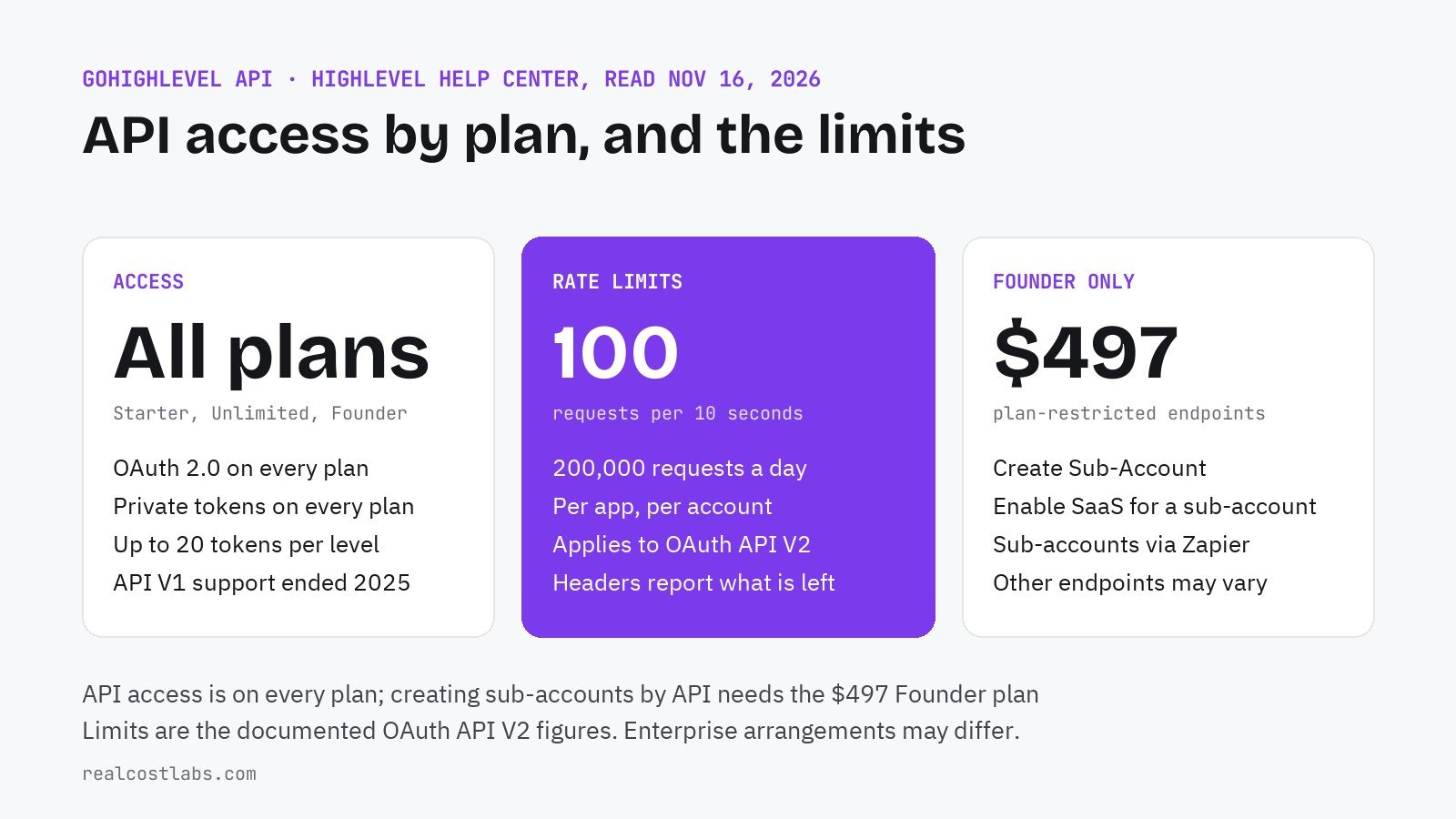
API access is available on all three plans. HighLevel’s API article, last modified November 13, 2026, answers the question directly: “HighLevel provides API access across Starter, Unlimited, and Founder plans.” What changes by plan is the label and a short list of restricted endpoints.
| Starter, $97 | Unlimited, $297 | Founder, $497 | |
|---|---|---|---|
| HighLevel’s label | Standard API access | Basic API access | Advanced API access |
| OAuth 2.0 | Yes | Yes | Yes |
| Private Integration Tokens | Yes | Yes | Yes |
| Standard endpoints | Yes, subject to permissions | Yes | Yes |
| Create Sub-Account endpoint | No | No | Yes |
| Enable SaaS for a sub-account | No | No | Yes |
HighLevel does not publish a list of what separates “basic” from “advanced” beyond those two endpoints; its own answer is that availability “depends on the plan and endpoint-level restrictions.” If a project depends on one specific endpoint, check it in the API reference before choosing a plan.
| Limit or rule | Figure |
|---|---|
| Burst rate limit | 100 requests per 10 seconds |
| Daily rate limit | 200,000 requests per day |
| Scope of the limits | Per marketplace app, per account (location or company) |
| Private Integration Tokens | Up to 20 at agency level and 20 per sub-account |
| Recommended token rotation | Every 90 days; old and new tokens overlap for 7 days |
| API V1 | End of support on December 31, 2025 |
The rate limits are the documented figures for OAuth requests to API V2, and HighLevel notes that enterprise arrangements may differ. To put 200,000 a day in proportion, it is about 2.3 requests a second around the clock for one app in one account, which is ample for syncing a CRM and too little for polling every contact every minute. Use webhooks for anything event-driven.
Two practical notes. A Private Integration Token is the simpler choice for connecting your own systems to your own account; OAuth is for apps that other accounts will authorize. And HighLevel’s support team does not build, audit or debug custom integrations, so a custom connection needs a developer on your side.
What does not carry over between accounts
Integrations are authorized per sub-account. When you copy an account’s setup with a snapshot, the workflows that use an integration come across, but the connection itself does not: third-party connections and Stripe have to be re-authorized in each new account. Our snapshots guide lists what else stays behind.
Integrate, or replace
HighLevel’s pitch is that it replaces tools, and its integrations page features several it could replace. The sensible rule is to integrate the tools that are systems of record and replace the ones that are not.
- Accounting, such as QuickBooks
- Your payment processor
- Google Workspace mail and calendars
- The store platform, if you sell products
- A separate scheduling tool, once calendars are in HighLevel
- A separate email marketing tool for the same contacts
- A standalone form builder
- A funnel builder used only for lead capture
Each tool you replace removes a subscription and a sync to maintain; each one you keep adds a connection that can break. Our agency guide prices the stack HighLevel typically replaces, and the pricing teardown shows the bill it leaves you with.
FAQ
What does GoHighLevel integrate with?
HighLevel features integrations with Google Workspace, Calendly, Zoom, Mailchimp, QuickBooks, Shopify, Slack, Facebook, Instagram, TikTok and LinkedIn, payment providers including Stripe, PayPal and Square, and more than 500 tools through its App Marketplace.
Do GoHighLevel integrations cost extra?
HighLevel does not charge to connect an app. Using marketplace app actions, webhooks, Google Sheets or Slack steps inside a workflow costs $0.01 per execution after 100 free executions per sub-account, and third-party apps may have their own pricing.
Does GoHighLevel work with Zapier?
Yes. The official Zapier app is listed as LeadConnector and connects one sub-account per connection using your HighLevel login. Agencies can also buy a white-label Zap, a Zapier app under the agency’s own brand, for $50 a month.
Does GoHighLevel have an API?
Yes, on every plan. HighLevel states that API access is available across Starter, Unlimited and Founder, with OAuth 2.0 and Private Integration Tokens on all three. Creating sub-accounts and enabling SaaS mode by API require the $497 Founder plan.
What are the GoHighLevel API rate limits?
For OAuth requests to API V2, HighLevel documents a burst limit of 100 requests per 10 seconds and a daily limit of 200,000 requests, applied per marketplace app and per account.
Which payment processors work with GoHighLevel?
HighLevel lists Stripe, PayPal, NMI, Authorize.net, Square, Adyen and Razorpay, and says its payments infrastructure allows custom providers to be added.
Do integrations copy over with a snapshot?
No. Workflows that use an integration are copied, but integrations and third-party account connections, including Stripe, must be re-authorized in each sub-account.
KEEP EXPLORING