 MailerLite
 ActiveCampaign
 Omnisend
 Klaviyo
 SE Ranking
 Mangools
 Semrush
 Ahrefs
 Pipedrive
 Zoho CRM
 Salesforce
 HubSpot
 Systeme.io
 GoHighLevel
 ClickFunnels
 Vendasta
GoHighLevel snapshots
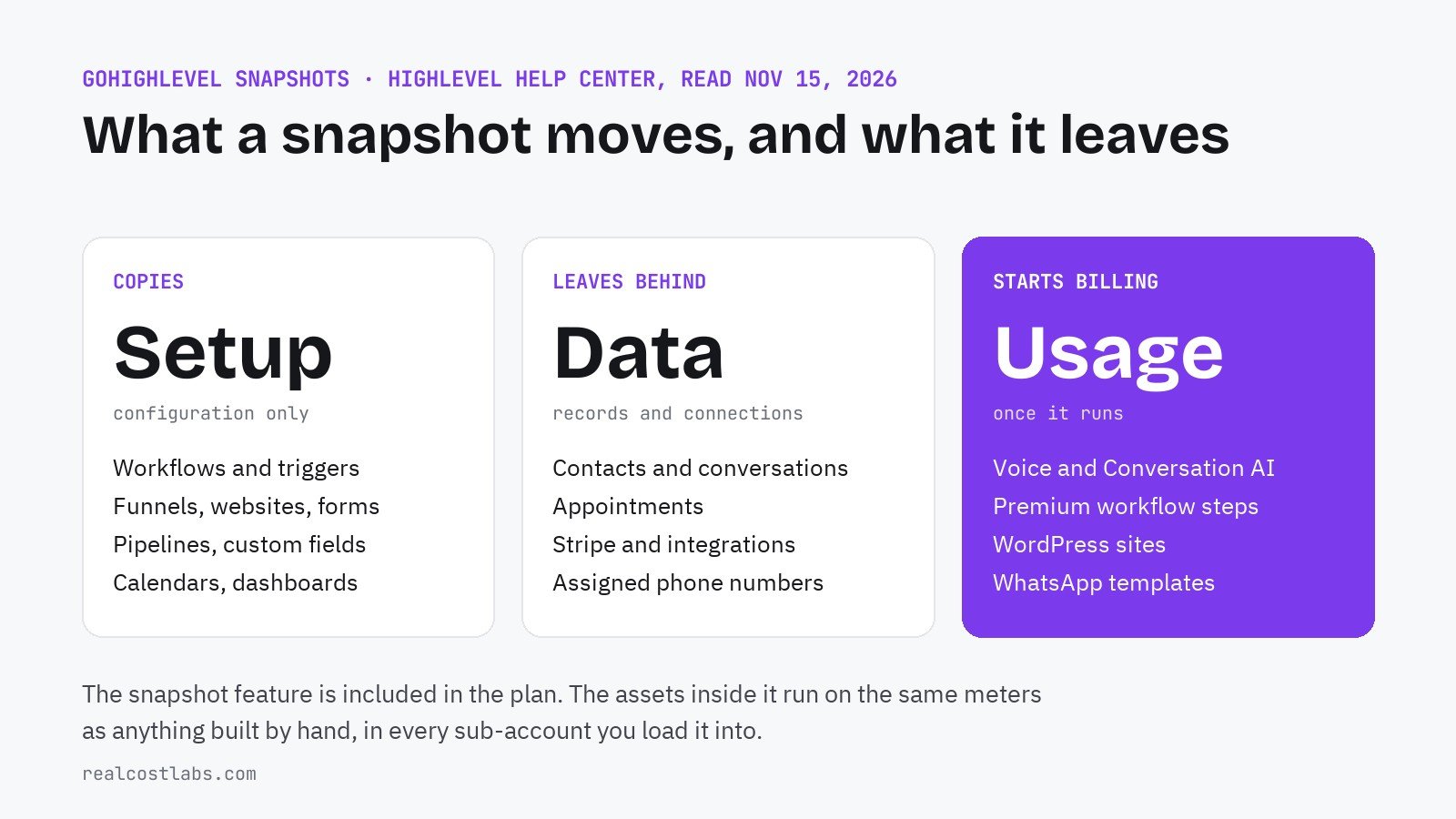
A snapshot copies an account’s setup into another account in minutes. It copies the configuration, not the customers, and everything in it that is metered starts billing wherever you load it.
PART OF THE GUIDE · GoHighLevel pricing: every plan and the real monthly bill
RealCostLabs is independent and reader-supported. We may earn a commission on purchases made through our links, at no extra cost to you, and our scores are never for sale.
Snapshots are the reason an agency can onboard its tenth client in an afternoon instead of a week. They are also sold, shared and bundled by third parties, which is where most confusion starts. This page covers what a snapshot is, exactly what moves and what does not, and the costs that travel with it. Sources are HighLevel’s snapshots overview (last modified October 9, 2026) and its article on assets protected snapshots (September 12, 2026), read on November 15, 2026.
The short answer
A snapshot is a reusable template captured from one sub-account: its workflows, funnels, forms, calendars, pipelines and similar settings. You load it into a new or existing sub-account and that account starts with the same setup. HighLevel lists snapshots among the features of every plan, so there is no fee for the feature itself.
You cannot build a snapshot from scratch. You configure a source sub-account the way you want it, then create the snapshot from that account.
What a snapshot copies
| Category | Assets that can be copied |
|---|---|
| AI and automation | Workflows, triggers, Conversation AI, Voice AI agents, Agent Studio, brand voice |
| CRM structure | Pipelines, custom fields, custom objects, custom values, tags, smart lists |
| Marketing and content | Funnels and websites, forms, surveys, quizzes, blogs, campaigns, email and text templates, social planner |
| Calendars | Calendars, calendar groups, services and resources |
| Reporting | Dashboards, custom reports, custom metrics |
| Memberships | Membership products and offers, certificates, webinars |
| Advertising | Ad campaign structures for Google, LinkedIn and Meta |
| Other | Documents and contracts, knowledge bases, review settings, WhatsApp templates, a WordPress site, design kit |
You choose all assets or pick individual ones, both when you create a snapshot and when you load it.
What does not transfer
HighLevel is direct about this: snapshots move configuration, “not live account activity or customer records.”
| Stays behind | What that means after loading |
|---|---|
| Contacts, conversations, messages, appointments | The new account starts empty; import contacts separately |
| Stripe connections | Reconnect payments in each sub-account |
| Integrations and third-party connections | Re-authorize every app |
| Phone numbers assigned to Voice AI agents | Buy and assign a number before the agent can take calls |
| WhatsApp usability | Templates arrive, but need the integration and Meta approval again |
| WordPress plugin and theme licenses | Re-authenticate licensed plugins on the new site |
| Reputation data, private dashboards | Not copied |
Smart lists illustrate the rule well: the list’s filter copies across, but it shows whatever records exist in the destination account, which at first is none.
The costs that travel with a snapshot
The feature is free. What it deploys is not always. A snapshot can include assets that run on HighLevel’s usage meters, and loading it into ten sub-accounts puts those meters in ten places.
| If the snapshot contains | What starts costing | Rate |
|---|---|---|
| Voice AI or Conversation AI agents | AI usage, per sub-account | AI Employee at $50 or $97/mo, or pay-per-use |
| Workflows with webhooks, Google Sheets, Slack or app steps | Premium executions | $0.01 each after 100 free per sub-account |
| A WordPress site | WordPress hosting | From $10/mo per site |
| WhatsApp templates | WhatsApp integration | $10/mo per sub-account plus usage |
| Text and call workflows | Phone system usage, plus a number | Twilio rates; $1 to $2/mo per number |
None of this is hidden; it is the same pricing as building the assets by hand. The difference is speed. A snapshot can switch on a Voice AI agent and three integration workflows in an account whose owner never priced them. Before loading a snapshot you did not build, open it with View Snapshot Assets and check for anything in the left column. The rates are in our GoHighLevel AI, workflows and add-ons pages.
Create, load, import, push: what each action does
| Action | What it does |
|---|---|
| Create | Captures selected assets from a source sub-account |
| Load | Applies a snapshot’s assets to an existing sub-account |
| Create sub-account from snapshot | Opens a new sub-account with the snapshot applied |
| Share | Generates a link another agency can use |
| Import | Adds a shared snapshot to your agency’s library; nothing is applied yet |
| Refresh | Updates the snapshot from changes in its source account |
| Push | Sends refreshed assets to the sub-accounts linked to it |
The two that get mixed up are import and load. Importing puts a snapshot on your shelf. Loading is what changes a client’s account. Creating one takes four steps: Agency View, Account Snapshots, Create New Snapshot, then name it, pick the source sub-account and select the assets.
Buying and selling snapshots
HighLevel lists “sharing or selling snapshot-based templates to other agencies” as an intended use, and a market has grown around it. Two things are worth knowing before paying for one.
First, a seller can mark a snapshot as assets protected. You can load a protected snapshot and reuse it across your own sub-accounts, but you cannot redistribute or resell its protected assets to another agency. The boundary is your agency account.
Second, a bought snapshot is somebody else’s build. It arrives without contacts, payment connections or phone numbers, and it may assume add-ons you do not have. We have not priced the third-party snapshot market and make no claim about typical prices; they are set by each seller.
When snapshots are worth building
- You onboard clients in the same industry with the same follow-up sequence
- You sell a fixed package and every client gets the same system
- You run SaaS mode and new signups need a working account on day one
- You manage several locations of one business
- Every client’s process is different
- You have one or two sub-accounts
- You expected it to migrate contacts or history; it does not
- The source account is messy; a snapshot copies the mess
Snapshots matter most on the plans built for many clients. The $97 Starter plan allows three sub-accounts, so there is little to copy between; from the $297 plan the number is unlimited, and with SaaS mode on the $497 plan a snapshot becomes the product a new customer receives. Plan details are in the GoHighLevel pricing teardown.
FAQ
What is a GoHighLevel snapshot?
A reusable template captured from one sub-account, containing configuration such as workflows, funnels, forms, calendars and pipelines, that can be loaded into other sub-accounts.
Do snapshots copy contacts?
No. Snapshots transfer configuration, not customer records. Contacts, conversations, messages and appointments do not transfer.
Are GoHighLevel snapshots free?
The snapshot feature is listed among the features of every HighLevel plan. Assets inside a snapshot, such as AI agents, premium workflow steps, WordPress sites and WhatsApp, are billed at their normal rates in each sub-account that uses them.
What is the difference between importing and loading a snapshot?
Importing adds a shared snapshot to your agency’s snapshot library. Loading applies the snapshot’s assets to a new or existing sub-account.
Can I resell a snapshot I bought?
Not if its assets are protected. Assets protected snapshots can be reused across sub-accounts inside your own agency but cannot be redistributed or resold to another agency.
What has to be set up again after loading a snapshot?
Payment connections such as Stripe, third-party integrations, phone numbers for Voice AI agents, WhatsApp approval and licensed WordPress plugins all need to be reconnected in the destination sub-account.